

Mikester
-
Mikester posted an update 3 months ago
3 months ago (edited)
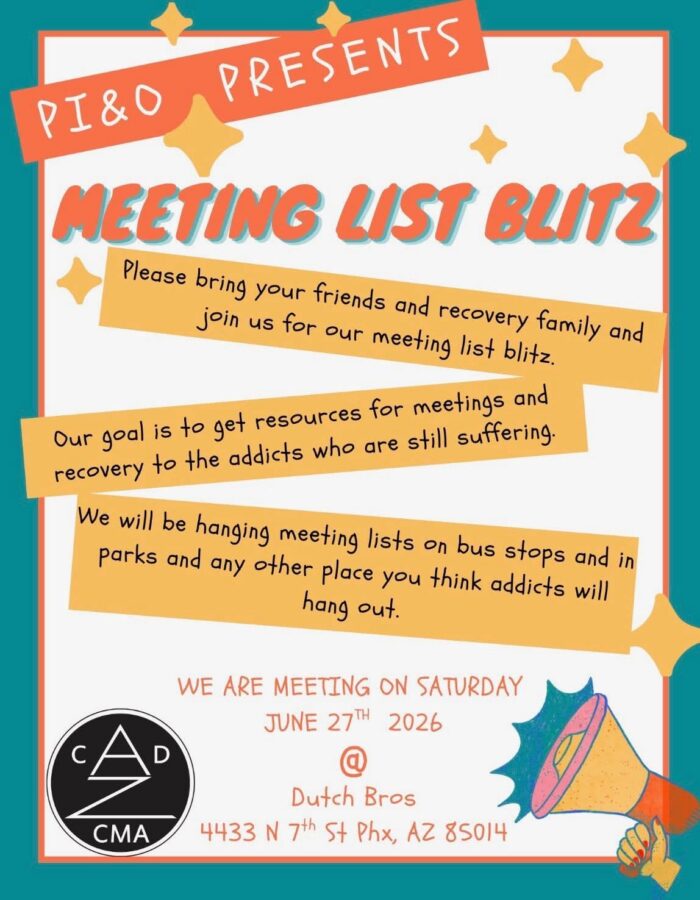
Meeting List Blitz on June 27
Meet at Dutch Bros on 7th St south of Camelback at 8am. This is one of the most fun outreach events you can think of.
-
Link to Registration Spreadsheet
Here is the live spreadsheet of registrations and payment plans. It is synced in real time whenever Irene edits it so this is always the latest and greatest information on registrations. This link is only viewable by Kat, Carole, Julie, and Irene so you need to be logged in with your Microsoft…
-
My Microsoft is tied to my company corporate account, which im not going to view CMA related materials.
We could be using our CMA owned drive with shared sheets, which is the apropriate place for CMA Business items to live, so its not tied to a outside companies shared drive.
But thats neither here nor there.
Im going to shoot straight, as…
- View 2 replies
-
-


Mikester scheduled a Zoom meeting Area Communications in the group
3 months agoArea Communications 3 months agoArea Communications
July 14, 2026 at 7:30 pm (Arizona)Every month on the Second Tue, 17 occurrencesArea Communications Date and TimeJuly 14, 2026 at 7:30 pm (Arizona)Meeting ID85986636018Duration1 hourMeeting Notifications15 minutes beforeMeeting PasswordNo password requiredMeeting LinkVideoHost OffParticipant OffMeeting OptionsEnable join before hostMute participants upon entryEnable waiting roomOnly authenticated users can joinDo not record the meeting. -
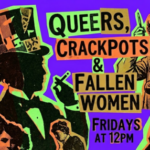
Mikester scheduled Zoom meeting Queers, Crackpots & Fallen Women starting soon in the group
3 months agoQueers, Crackpots & Fallen Women 3 months agoQueers, Crackpots & Fallen Women
June 12, 2026 at 12:00 pm (Arizona)Queers, Crackpots & Fallen Women Date and TimeJune 12, 2026 at 12:00 pm (Arizona)Meeting ID87058036611Duration1 hourMeeting Notifications15 minutes beforeMeeting PasswordtY8SaGMeeting LinkVideoHost OffParticipant OffMeeting OptionsEnable join before hostMute participants upon entryEnable waiting roomOnly authenticated users can joinDo not record the meeting. -
Mikester scheduled Zoom meeting Queers, Crackpots & Fallen Women starting soon in the group
3 months agoQueers, Crackpots & Fallen Women 3 months agoQueers, Crackpots & Fallen Women
June 5, 2026 at 12:00 pm (Arizona)Queers, Crackpots & Fallen Women Date and TimeJune 5, 2026 at 12:00 pm (Arizona)Meeting ID87058036611Duration1 hourMeeting Notifications15 minutes beforeMeeting PasswordtY8SaGMeeting LinkVideoHost OffParticipant OffMeeting OptionsEnable join before hostMute participants upon entryEnable waiting roomOnly authenticated users can joinDo not record the meeting.-
Mikester…I just thought I’d share the the convention committee is doing a walk through at the host hotel, tomorrow, at noon!
-
-
Our next talk & laugh is July 3. This is a thread to collect ideas for the ‘not-a-business-meeting’ piece of that.
-
Literature to pull readings from. I'm going to pull today's step of the month from the NYCMA step guide.
-
Thank you for researching and sharing these readings. I hadn’t gotten this in time but I am keeping them.
Make yours a positive and productive day! Hugs 🫂
-
-
Mikester shared a post 3 months ago
If people want to see archives in their feed they have to join the group. I hope they do because these are fun to see.
-
Mikester shared a post in the group
3 months agoCentral Arizona District/Intergroup 3 months agoI had posted this to Area and forgot to post it here, same deal applies. If we put our documents here then GSRs and other trusted servants can get them when they need them. It’s also a lot easier to find them during meetings. You can just say “on the documents tab of the Unity Hub” and people know where that is instead of something having to…
-
We’re being asked if we want to set up a table for the unity hub at the convention. Do we want to?
- Load More